
How to Map Missing Subtopics in a Page Refresh
Last updated: October 25, 2026
Key Takeaways
- A content refresh subtopic map turns one existing page into a coverage checklist you can edit against.
- Compare the current outline to expected entities, then mark gaps in a simple coverage grid.
- Start with the existing page first so you do not import gaps from another article.
- Topic entities show what the page should name, define, or connect when coverage is complete.
A quick answer: in a page refresh, a subtopic map helps you spot missing coverage fast, usually by checking one existing page against a short gap list before rewriting. How to map missing subtopics in a page refresh is the process of identifying what the page lacks without changing its topic, so you can expand the page with the right sections and avoid turning a refresh into a new article. If a page already ranks or has decent links, this can be a practical way to find the gaps that make it look thin in a SERP and to turn a rough content audit into a usable refresh plan.
What a content refresh subtopic map actually does
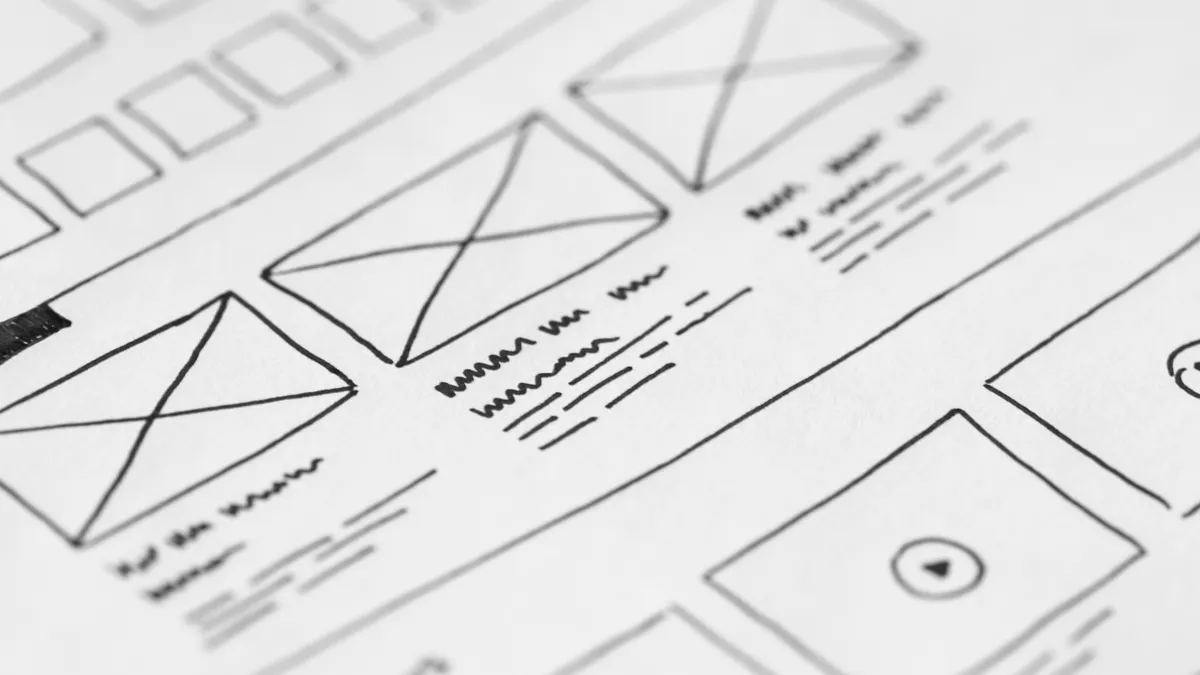
A content refresh subtopic map turns one existing page into a coverage checklist you can edit against. It shows which subtopics are already present, which topic entities are missing, and which additions belong in the current outline without pushing the page into a new intent.
That matters because a refresh fails when the writer edits only for style. A cleaner intro, a few updated dates, and one new paragraph do not fix a page that misses the subtopic a searcher expects to see. The map keeps the edit tied to the current page, not to a new article idea.
Use this approach when the page already has a clear topic and deserves more depth. It is not for pages that are pointed at the wrong query, or for deciding which pages to refresh before creating new content. It is also not the tool for comparing competitor articles line by line; that is a different job.
The existing page is the subject, the SERP is the reference point, and the content audit is the process that reveals the gaps. The map is the output you hand to the writer or editor. It should be specific enough to drive an outline expansion in one sitting, not a vague note like “add more detail.”
For a refresh that needs to support SEO content optimization systems, this is one of the most practical mid-stage tools because it sits between diagnosis and drafting.
How do you find missing subtopics in existing content?
You find missing subtopics in existing content by comparing the page’s current outline against the topic entities a searcher would expect, then marking the gaps in a simple coverage grid.
Start with the existing page itself. Read the H2s, H3s, intro, and conclusion, and note the main claims, examples, and definitions already present. Then build a second list from the SERP: related questions, repeated headings, featured snippets, and adjacent terms that show up across top results. The goal is not to copy competitors. The goal is to see which subtopics the page has not covered yet.
Use a 3-column grid: present, partial, missing. Put one subtopic in each row. If “subtopic extraction” gives you a phrase that appears only in passing, mark it partial, not present. If a topic entity belongs to the page but never appears, mark it missing. This takes 20 to 40 minutes for a standard article and gives you a much cleaner edit brief than a loose brainstorm.
A good test is to ask, “Would a reader still need another page to understand this topic?” If the answer is yes because a core question is untouched, that is a real gap. If the answer is yes because the page lacks examples, that may be a depth gap instead of a subtopic gap. Keep those separate. A missing example is not the same thing as a missing subtopic.
The map usually stays narrow. If the page is about one product, one process, or one method, keep the rows tied to that same entity. Do not pull in every related term from the broader topic cluster. That is how refresh work drifts into scope creep in under an hour.
Build the subtopic map from the existing page first
Build the subtopic map from the existing page first so you do not import gaps that belong to a different article.
-
Export or copy the current page outline into a working doc. Use the live page, not the draft, and note each H2 and H3 in order. The result should be a 1-page outline you can scan in under 2 minutes.
-
List the page’s primary topic entities. Write down the people, processes, tools, standards, or categories the page already mentions by name. A page about a content refresh subtopic map might already include “coverage audit,” “topic entities,” and “outline expansion,” but not “subtopic extraction.”
-
Mark what each section actually answers. For each heading, write a 5-word note such as “defines the term,” “lists steps,” or “explains risks.” This reveals where the page repeats itself and where it skips a stage in the process.
-
Circle every subtopic that is only implied. If a paragraph hints at “refresh planning” but never shows how to plan the refresh, that is a partial gap. This matters because partial coverage often looks complete at a glance and is the most common reason a refresh underperforms after a rewrite.
-
Turn the rest into a working gap list. Keep only the missing items that fit the same search intent as the current page. If the page is informational and the missing row points to a buying decision or a new-page decision, cut it. One clean map should usually fit on one screen or a single page in a doc.
At the end of this step, you should have a short list of real omissions, not a pile of notes. For most pages, 5 to 10 rows is enough. If the list is longer than that, the page may need a broader rewrite or a topic split.
Which topic entities usually expose the gaps?
Topic entities expose the gaps because they show what the page should name, define, or connect if the coverage is complete.
A page refresh often misses entities that feel obvious to the writer but not to the reader. In this topic, the obvious entities include existing page, subtopics, topic entities, SERP, content audit, subtopic extraction, coverage audit, entity gaps, outline expansion, and refresh planning. If one of those is absent, the page may still read smoothly while leaving a searcher without a needed piece of the process.
The most useful way to work is to group entities by role. One group names the object being edited, such as the existing page. Another group names the method, such as coverage audit and subtopic extraction. A third group names the output, such as refresh planning or outline expansion. This structure helps you spot a page that explains the process but never shows the output, or describes the output without the method that produces it.
Do not add entities just because they appear in the SERP. Ask whether the page’s current intent can hold them. If a topic entity belongs to a sibling question, leave it out even if it looks relevant. That keeps the refresh from swallowing a second query and competing with another page on the same site.
A practical rule: if a term is central enough that a reader might search for it on its own, it probably deserves a row in the map. If it is merely color, leave it out. The map is for missing subtopics, not for every possible synonym.
One limitation is worth stating plainly. Entity lists can tempt you to stuff a page with labels instead of useful explanation. The map should not force every entity into a heading. Sometimes one well-placed paragraph does the job better than a new section.
What should your coverage audit flag as a real gap?
Your coverage audit should flag a real gap when a reader would need outside help to answer a core question the page promises to cover.
The first pass is mechanical: mark missing definitions, missing steps, missing decision points, and missing follow-through. A coverage audit is not a proofreading pass. It is a structure check. If the page explains what a content refresh is but not how to map missing subtopics, that is a core gap. If it explains subtopic extraction but not how to use the result in refresh planning, that is an output gap.
The second pass is intent-based. Ask whether the missing item changes what the reader can do after reading. If the answer is yes, the gap matters. If the item would only make the page nicer or more polished, it may not be worth adding. This is where many generic refresh guides go wrong: they treat all omissions as equal, which creates bloated pages with weak focus. For medical, legal, or financial content, consult a professional and use sources such as the FTC guidance on avoiding misleading claims and the Mayo Clinic’s health content standards before making edits.
A clean audit usually catches three kinds of misses:
- The page names a process but skips a key step.
- The page mentions a concept but never defines it in the current context.
- The page covers the process at a high level but leaves out the decision rule that tells the reader what to do next.
Not every omission should be fixed on the current page. If a missing subtopic would change the article’s intent, belongs to a different stage of the workflow, or needs a separate example set, leave it for another page. That is the trade-off: tighter focus versus wider coverage. In a refresh, tighter focus usually wins.
A useful benchmark is whether a non-expert could follow the page without guessing. If the answer is no in one section, that section needs a map entry, not a cosmetic edit.
How to turn gaps into an outline expansion plan
Turn gaps into an outline expansion plan by sorting them into add, merge, or defer before you touch the draft.
Start with the missing rows from your map and assign each one a home. If the gap fits naturally under an existing H2, add 1 to 3 H3s. If two gaps are really one idea split across headings, merge them into a single section. If a gap belongs to a different intent or a different page, defer it. This keeps the refresh from ballooning into a rewrite.
Then write the new outline in the same order a reader would need it. An effective expansion usually moves from definitions to extraction, then to audit results, then to planning. That sequence makes the page easier to scan and easier to edit because each addition has a clear job.
Use a short planning note for each new section:
- What it adds
- Where it goes
- What it should not cover
That third note matters. If a section says “cover entity gaps,” it should not also start covering competitor benchmarking, refresh prioritization, or new-page selection. Those are different queries. One page, one job.
A common mistake is to add every gap as a separate heading. That creates a long outline with thin sections. A better plan groups related gaps into one section and uses a paragraph or two to bridge them. A 1,200-word page with five strong sections will usually outperform a 1,800-word page with eight shallow ones.
The final outline should feel like a direct answer to a single query, not a pile of missing notes. If the draft can be handed to a writer without extra explanation, the expansion plan is ready.
Common mistakes that make a refresh map useless
A refresh map becomes useless when it records ideas without showing what the page actually needs to gain.
The first mistake is mixing missing subtopics with missing keywords. A keyword list can help with discovery, but it does not tell you whether the page needs a new section. If you chase terms instead of subtopics, you end up padding the article with phrases that do not change coverage.
The second mistake is mapping against the wrong page purpose. A how-to page should not be forced to answer a buying question, and a definition page should not suddenly become a comparison. That mismatch costs ranking clarity and confuses the reader.
The third mistake is treating every competitor heading as a required section. Competitor coverage is useful as a signal, but it is not a script. If a heading appears on three pages and does not fit your current page’s intent, skip it. For editorial or compliance-sensitive topics, consult a qualified professional and check the relevant guidance from Google Search Central or another authoritative source before changing scope.
The fourth mistake is over-abstracting. A note like “add more depth” is too vague to use. “Add how to extract subtopics from an existing page in a 3-column grid” is usable. Specificity is the difference between a map and a memory aid.
The fifth mistake is forgetting the edit budget. If the page only has room for 2 new sections before it loses focus, the map should say which 2 matter most. A good refresh plan respects space, structure, and reader patience.
If the map does not tell a writer what to add, what to merge, and what to leave alone, it is not a map yet. It is a transcript of brainstorming.
A simple workflow you can reuse on the next refresh
A reusable workflow keeps your subtopic mapping consistent across pages and saves about 30 minutes on the second article.
Use this sequence:
- Copy the live outline.
- Pull the page’s topic entities.
- Scan the SERP for repeated subtopics.
- Mark present, partial, and missing items.
- Sort the misses into add, merge, or defer.
- Convert the result into an outline expansion brief.
That is the whole system. The work is in the judgment between steps 3 and 5, not in collecting more notes. The process is light enough to use on a single page and strict enough to stop scope creep.
I would use this approach when the page already deserves a refresh and the main problem is coverage, not positioning. I would not use it when the page targets the wrong search intent, when the topic itself needs splitting, or when the site needs a new-page decision instead of a refresh decision. In those cases, a subtopic map is the wrong tool because it solves the coverage problem only after the page has earned the right to stay on the same query.
Used well, the map gives you a cleaner draft, a tighter outline, and fewer review comments. Used badly, it turns into an endless list of possible additions. The difference is simple: keep every gap tied to the existing page, the current SERP, and the specific edit you are making.
How do you find missing subtopics in existing content?
You find missing subtopics in existing content by comparing the current outline to the topic entities and questions that the page should already cover. Start with the existing page, then mark what is present, partial, and absent in a simple coverage audit. The missing rows become your refresh map.
What should be added in a content refresh?
Add the subtopics that fill a real coverage gap without changing the page’s intent. That usually means missing definitions, steps, decision points, or follow-through that belong in the current outline. Leave out anything that would turn the page into a different query or a new article.
How do you expand a page without changing its topic?
Expand the page by adding the missing subtopics that belong inside the same search intent, then place them under the existing structure. Use this to create a cleaner outline, and keep the refresh focused on one page.
Comparison: refresh map vs. outline expansion plan
| Item | Refresh map | Outline expansion plan |
|---|---|---|
| Purpose | Find missing subtopics | Turn gaps into sections |
| Input | Existing page and SERP | Gap list from the audit |
| Output | Present, partial, missing rows | Add, merge, defer decisions |
| Best use | Diagnose coverage gaps | Draft the revised outline |
| Risk | Over-listing unrelated ideas | Over-expanding the page |
Sources
- Google Search Central: https://developers.google.com/search/docs
- FTC business guidance on advertising and marketing claims: https://consumer.ftc.gov/business-guidance
- Mayo Clinic content standards: https://www.mayoclinic.org/about-this-site/content-standards
Drafted with AI; not yet reviewed by a person.