Build a Content Brief for One Page Job
Last updated: November 19, 2026
Key Takeaways
- A content brief should define the page’s goal, reader, and coverage in one short plan.
- Keep the brief to one page by stating one goal sentence and removing off-topic material.
- A usable brief gives enough structure for one-pass drafting, often in under 30 minutes.
- The section list should include only the parts needed to answer the query cleanly.
A messy brief wastes a writer’s time and a page’s chance to rank. Build one brief around one page goal, one reader, and one topic angle so the writer can draft without guessing. For how to build a content brief for one topic and one page job, the first step is to keep the brief narrow. The steps below show what to include, what to leave out, and how to keep the brief tight enough for one page.
What a content brief has to do
A content brief has to tell a writer what this page must achieve, who it is for, and what the finished page should cover. If the brief does not answer those three things, it becomes a content outline with no direction.
Picture this: you have a topic, a deadline, and a writer waiting for direction. You need a single-page brief that sets the goal, the audience, the angle, the section list, and the source notes without drifting into sibling topics. That keeps the job focused.
A good brief for one page job usually includes:
- the page objective
- the target reader
- the angle or promise
- required sections
- source notes
- handoff notes
It should also name the content brief, editorial brief, seo brief, writer, and content outline in plain language the team already uses. Briefs should be usable, not clever. They should be easy to scan in a few minutes.
The mistake most people make is treating the brief like a place to brainstorm everything related to the topic. That creates a page that tries to answer three queries at once. If that happens, consult a professional editor or strategist, since the right fix depends on the page type and search goal; for content planning guidance, see Nielsen Norman Group’s writing and content guidance at https://www.nngroup.com/articles/ and Google Search Central at https://developers.google.com/search/docs.
If this page sits in the AI search visibility planning hub, keep the link-up simple and let the hub do the broader work. This page should only handle the brief for one topic and one page.
How do I keep the brief on one page goal?
You keep it on one page goal by writing the goal as a single sentence and cutting anything that does not support it. A brief that tries to serve two page types will usually fail both.
Picture this: your topic could become a guide, a comparison, a checklist, and a FAQ page. The brief has to pick one. If the page is meant to rank for a learning query, then the brief should point the writer toward explanation, not product comparison or case study proof. That choice saves a rewrite later.
Start with a page objective that uses one clear outcome:
- explain how to do the task
- define the term for a beginner
- help the reader pick a method
- help the reader complete a step
Then write one line that says what the page is not. For example, a brief for a how-to page should not also ask for competitor analysis, buyer advice, or a tool roundup. Those belong elsewhere.
The truth is, a one-page brief gets sharper when you remove options. A single outcome gives the writer a fence line. Without it, the outline grows side paths and the draft starts answering the wrong query.
Use a brief template that fits a writer’s work
A usable brief gives the writer enough structure to draft in one pass, usually in under 30 minutes of scanning and planning. It should be short enough to read once and still clear enough to write from.
Here is a simple structure that works for a content brief:
- Name the page objective — State the job in one sentence and keep it to one outcome.
- Define the audience context — Say who the reader is, what they already know, and what they are trying to finish.
- Pick the angle — State the main promise, such as “show the order to follow” or “explain the trade-offs.”
- List required sections — Give the H2s or section jobs, not a full draft.
- Add source notes — Name the documents, URLs, or internal notes the writer should use.
- Add handoff notes — State length, tone, links, review owner, and any sections to skip.
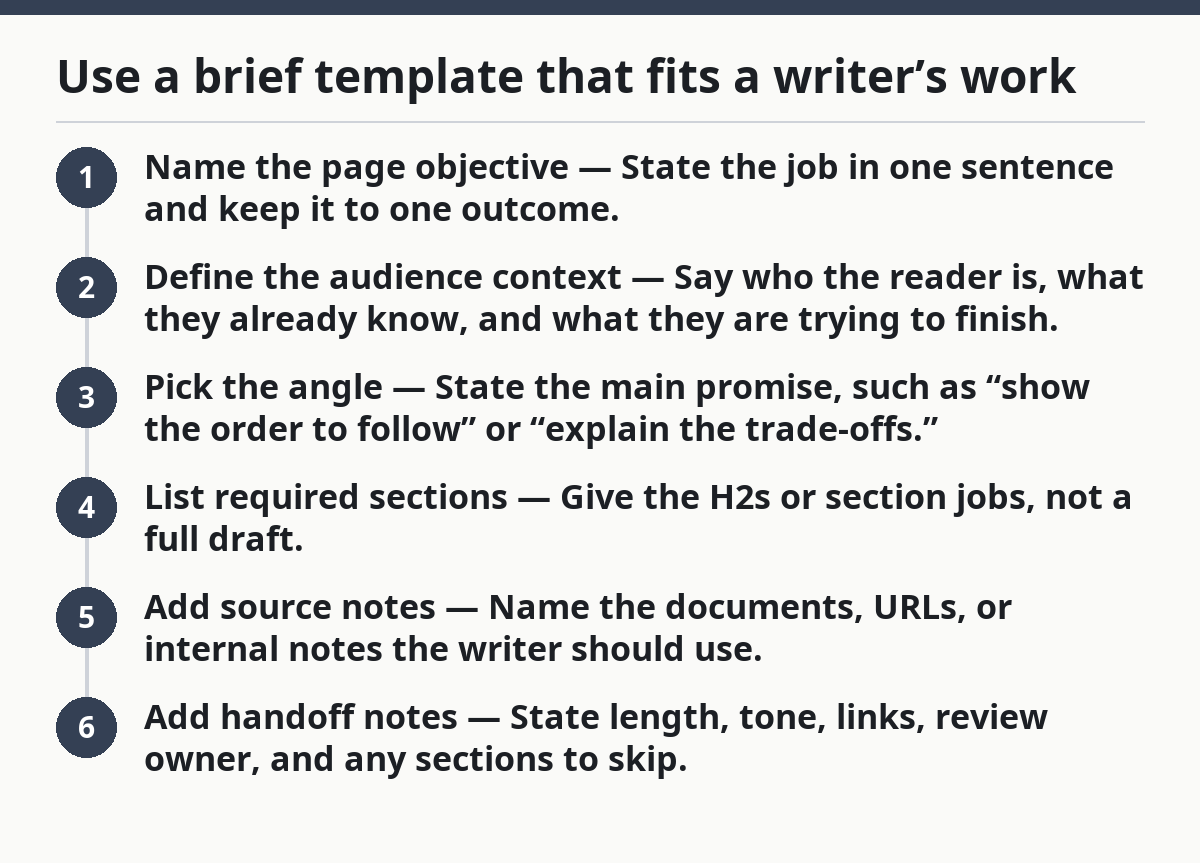
That template works because it separates strategy from execution. The strategy says what the page must do. The outline says how the page will do it. The source list keeps the writer from hunting around for evidence.
A weak brief often hides the key decision inside a paragraph of notes. A strong brief puts the decision in a line the writer can quote back.
What should go in the section list?
The section list should include only the parts the page needs to answer the query cleanly. A content outline is not a dump of every related subtopic; it is a map of the page’s argument.
Picture this: you are assigning a how-to article on a single topic. The page needs a start, a process, common errors, and a close. It does not need a detour into tools, history, pricing, or a second related query unless the brief says so.
Use section jobs like these:
- explain the main concept in one paragraph
- give the step-by-step process
- show the most common mistake
- explain when a different approach fits better
- answer the follow-up questions readers ask out loud
The section list should also tell the writer what each section must accomplish. A heading alone is too thin. “Common mistakes” is fine; “Common mistakes and how they waste time” is better because it gives the writer a point of view.
A good test: if you removed a section, would the page still answer the main query? If yes, the section is optional. If no, it belongs in the brief. That keeps the page from ballooning past one job.
What source notes and handoff notes prevent
Source notes and handoff notes prevent the two worst brief failures: made-up detail and unclear review. They tell the writer where the facts come from and who signs off on the page.
Picture this: the writer is ready to draft, but the brief only says “use best practices.” Best practices for what, from where, and by whose standard? If you want a clean handoff, say which references matter, which internal docs are current, and what the writer should not use.
Add source notes for:
- official definitions or standards
- product or service docs
- approved internal docs
- approved examples or links
Add handoff notes for:
- word count or rough length range
- tone and level of detail
- SEO terms that must appear naturally
- sections that need approval
- sections that must not appear
That level of detail is not overkill. It stops the writer from guessing whether a section needs a standard, a screenshot, or a plain explanation. It also keeps an editor from rewriting the page after the draft lands.
Here’s the catch: source notes do not need to be long. One or two lines can be enough if they point to the right place. A brief that names the right references beats a brief that lists ten vague suggestions.
How detailed should a content brief be?
A content brief should be detailed enough that a competent writer can draft without chasing you for the basics, but not so detailed that it becomes the draft itself. The sweet spot is enough detail to remove ambiguity, not enough to remove judgment.
Picture this: you hand over a 1-page brief and expect a 1,500-word article. If the brief gives only a topic and a keyword, the writer has to invent the structure. If it gives a full script, the writer has no room to make the page read well. Both extremes waste time.
A useful rule is to keep the brief focused on decisions, not prose. It should decide:
- who the page is for
- what the page must answer
- which sections are required
- what sources matter
- what the writer should avoid
It should not try to solve every sentence. That is the writer’s job. It should not try to settle every micro-choice either, because that turns the brief into a block of instructions no one wants to read twice.
The best briefs are plain enough to scan in a few minutes and specific enough that the writer can start at once. That balance is what makes the page feel planned instead of patched together.
Common mistakes that break a brief
The most common mistake is mixing two page jobs in one brief, which usually produces a page that is broad, thin, and hard to finish. The second is writing the brief around keywords first and the reader second.
Picture this: the brief starts with search terms, then tries to force them into a page shape after the fact. The result is often a page that has the right phrases but the wrong structure. That costs clarity, and it can cost the page’s chance to answer the query cleanly.
Watch for these errors:
- Two page goals — The page starts as a how-to and ends as a comparison.
- No audience context — The writer cannot tell how much background the reader has.
- Vague source notes — “Use internal docs” is not a source list.
- No section purpose — The writer gets headings but not the job of each section.
- Too many exceptions — The brief makes the page messy before the first draft exists.
The fix is usually simple: cut the extra query, name the reader, and state the page objective in one sentence. If a section does not support that objective, remove it from the brief. If a note does not help the writer draft, move it out.
That discipline is what separates a working editorial brief from a wishlist.
How to check the brief before you hand it off
You check the brief by asking whether a writer could draft the page from it without a meeting. If the answer is no, the brief is still missing a decision.
Picture this: the brief is almost done, but the opening question is still fuzzy, the section list is too broad, and the source notes are thin. A 10-minute review can catch that before it becomes a full draft problem. That is faster than revising a half-written page.
Use this quick check:
- Can I say the page objective in one sentence?
- Does the brief name one reader and one job?
- Do the sections match the job?
- Are the source notes specific enough to use?
- Would this brief keep the writer out of sibling topics?
If the answer to any of those is no, tighten the brief before handoff. The point is not to make it fancy. The point is to make it useful.
A content brief for one topic and one page job does one thing well: it gives the writer a narrow path and enough room to walk it. That is the difference between a page that holds together and a page that wanders.
What should be in a content brief?
A content brief should include the page objective, the target reader, the angle, the required sections, source notes, and handoff notes. The page objective is the anchor. The rest tells the writer what the page must cover and what it must leave out.
How detailed should a content brief be?
A content brief should be detailed enough that a writer can draft without guessing, but not so detailed that it turns into the draft itself. The best briefs should make the big decisions and leave sentence-level work to the writer. That keeps the page focused and readable.
How do I keep a brief focused on one page goal?
Keep the brief focused by writing one clear objective and cutting every section that does not support it. If the page is a how-to, do not add a second job like comparison or product review unless that is the true goal. One page, one outcome, one outline.
Drafted with AI; not yet reviewed by a person.