Design a Support Article Without Overlap
Last updated: November 19, 2026
Key Takeaways
- A support article should answer one narrow job the pillar page only mentions.
- Match one search need to one page instead of breaking the pillar into random pieces.
- Separate scope, examples, and depth before drafting to avoid repeating the pillar page.
- Set the boundary, choose the angle, then build an outline that stays inside it.
A supporting article for how to design a supporting article for a pillar page without overlapping the main topic should answer one narrower question than the pillar page, while the pillar page keeps the broad topic. This guide shows how to set that boundary before you write a word. It also settles where the angle lives, where internal links go, and what to leave out.
What a support article must do
A support article must answer one specific job the pillar page only mentions. If the pillar covers the full topic, the support page should zoom in on one slice, one process, or one decision point. That keeps topic boundaries clear and stops duplicate intent.
Picture this: you’ve got a pillar page on AI search visibility planning, and you want a cluster page that helps without stealing the main query. You need a tighter promise, a narrower set of subpoints, and a cleaner finish. That is the job.
The simplest test is this: if the new page can replace the pillar page in search results without losing meaning, it is too broad. If it only makes sense as a follow-up, a proof point, or a step-by-step branch, it belongs in supporting content. The phrase on the page should match that role.
Use a boundary sentence before drafting. Write one line that starts, “This page explains…” and finish it with one task, one subtopic, or one comparison. Then write a second line that starts, “This page does not cover…” and name the pillar-level territory you are leaving alone. That pair saves hours of overlap later.
- Good support angle: “How to write a content brief for one cluster article.”
- Bad support angle: “How to do AI search visibility planning.”
- Good support angle: “How to choose one internal link target for a cluster page.”
- Bad support angle: “How internal linking works.”
The difference sounds small.
How do you pick the right angle for the support page?
You pick the right angle by matching one search need to one page, not by slicing the pillar into random pieces. The support article should own a single sub-question that a reader would ask after reading the hub or after skimming search results.
Picture this: you have a pillar page that explains the whole topic, and you are trying to decide whether the support article should cover structure, links, or intent. You only need one of them. The right choice is the one that can stand alone, solve a narrow problem, and still point back to the pillar.
Start with the reader’s next question. If the pillar answers “what is this?” the support page can answer “how do I do this one part?” If the pillar compares options, the support page can explain one option in detail. If the pillar gives a framework, the support page can handle one step in that framework.
A useful filter is search intent. A support page should not try to satisfy the same intent as the pillar page. If both pages promise the same outcome, you have duplicate intent. That leads to cannibalization, muddy rankings, and confused readers.
Use one of these angle types:
- One step in a process
- One subproblem in a larger workflow
- One example or template
- One common mistake and fix
- One decision rule
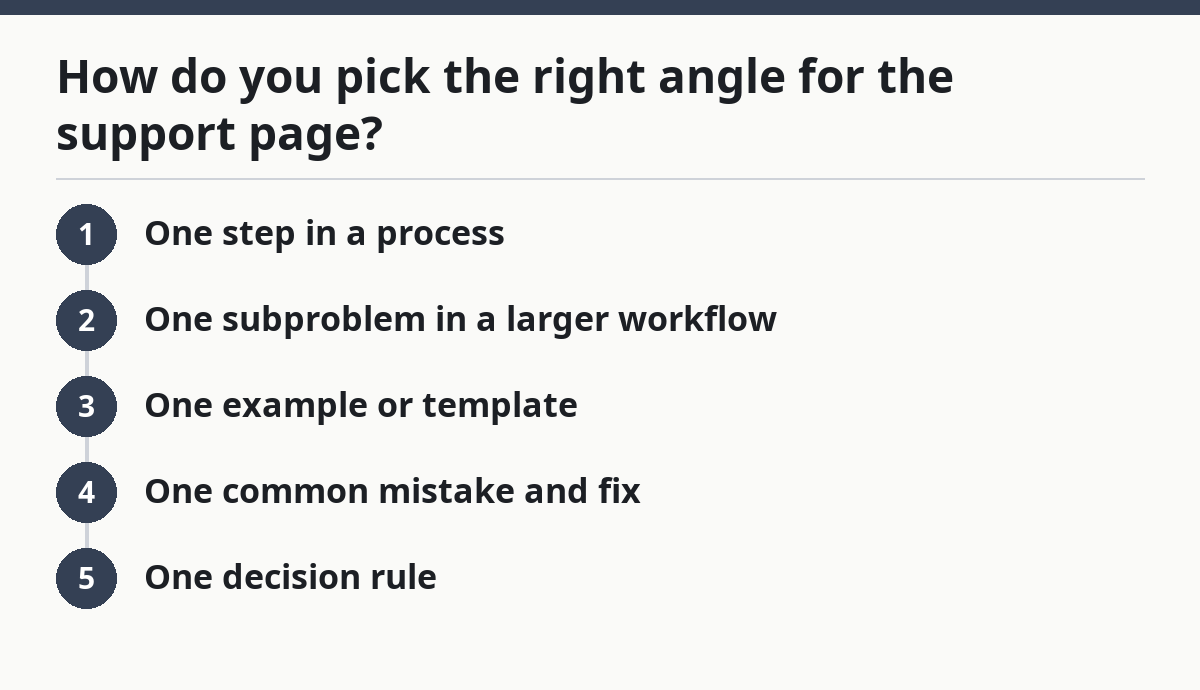
Each one works because it narrows the promise without making the page thin.
Avoid “everything about X, part 2.” That is not an angle. It is a second pillar in disguise. Keep the promise small enough that you can say it in a single sentence without commas stacking up.
How do you keep a support article from repeating the pillar page?
You keep a support article from repeating the pillar page by separating scope, examples, and depth before drafting. The pillar owns the broad map; the support page owns one road. If both pages explain the same roads, you have overlap.
Picture this: you’ve outlined a support article and the notes keep drifting back to the main topic. You can feel the draft getting heavier. That is the moment to set hard limits on what belongs on the page and what gets cut.
Use this decision rule. If a paragraph would still make sense on the pillar page, it probably belongs there instead. If a paragraph only works because the reader already knows the broader topic, it belongs in the support article. That difference matters.
A clean separation usually comes from three moves:
- Keep the pillar at the overview level.
- Put the support page at the action level.
- Give the support page a single audience moment, not the whole audience journey.
A support page also needs its own content separation inside the outline. Don’t reuse the pillar’s headline sequence with smaller wording. That creates echo, not value. Build a fresh outline around the one question the page answers, then remove any section that starts sounding like a summary of the hub.
One practical edit pass helps. Read each heading and ask, “Would this be useful if the pillar page disappeared?” If the answer is no, the heading is leaning on the wrong page. Cut it or move it.
The best support pages can feel like a side door, not a smaller front door. They add detail where the pillar stays broad. That is the line.
The step-by-step way to design the article
You design the article by setting the boundary, choosing the angle, then building an outline that stays inside it. This is the part where the page becomes usable instead of vaguely related.
Picture this: you’re sitting with a blank doc and a pillar page already exists. You need the support article to do real work, not just echo the hub. The fix is a tight sequence with a clear stop point.
-
Name the support question in one sentence.
Write the exact reader problem the page will solve, then stop at one task or one subtopic. If the sentence needs “and” twice, it is too wide. -
Mark the pillar boundary in one line.
Write what the pillar already covers so you don’t repeat it. This keeps the new page out of the main topic lane. -
Choose one search intent for the page.
Match the page to informational learning, not a mixed bag of beginner explanations and advanced strategy. One intent makes the draft easier to hold. -
List three to five support points that only this page needs.
These can be steps, mistakes, examples, or criteria. If a point belongs on the pillar, remove it now. -
Place the internal link in the section where the reader needs the bigger picture.
Link back to the pillar where context is needed, not in the opening paragraph just because it exists. A link should help the reader move, not announce a site structure. -
Trim anything that feels like a second intro.
The support page should start working fast. If the opening spends 200 words explaining the whole topic, the page has already drifted.
Each step has a result. When it works, the outline reads like a narrow path through the larger subject, not a duplicate map. The page earns its place.
What belongs on the page, and what does not?
What belongs on the page is the material that makes the support article complete on its own without taking over the pillar. That usually means one focused explanation, one example set, and one or two edge cases.
Picture this: you’re choosing between adding another paragraph or leaving the page lean. You want enough detail to help the reader, but not so much that the support page becomes a second hub. The answer lives in the reader’s next click, not your urge to cover everything.
A support article usually needs these pieces:
- A narrow promise in the intro
- One core procedure or explanation
- A small set of examples or criteria
- A short section on common mistakes
- A close that points back to the pillar page
What does not belong is broad background, topic history, or a full glossary. Those belong on the pillar if they belong anywhere. The support page should not spend 400 words proving the subject matters before getting to the point.
Here’s the catch: a support page can still be rich. It just has to be rich in one direction. For example, if the article is about topic boundaries, it can show how to set them, how to test them, and how to fix overlap. It should not also explain the whole hub-and-spoke model from the ground up.
A good check is this: can the page be labeled with a tighter phrase than the pillar? If yes, you are probably in the right lane. If not, the page is too broad.
How do internal links support the page without taking over?
Internal links support the page best when they guide the reader between the support article and the pillar page without turning the support article into a clone of the hub. A single, well-placed link can clarify the relationship in seconds.
Picture this: a reader lands on the support page first. They need the smaller answer now, but they may also need the bigger framework. The link should make that move easy, not noisy.
Use internal links for three jobs:
- Send readers up to the pillar when they need the overview.
- Send readers down to related support pages when the next step is narrower.
- Reinforce the page’s place in the topic cluster without stuffing links into every paragraph.
Do not front-load too many links. If the opening paragraph includes three destinations, the page starts behaving like a directory instead of a guide. One clear link in the right spot often does more than a pile of links in the first screen.
Anchor text matters too. Say what the target page does, not just “read more.” A reader should know why the click exists. That also helps the page stay focused, because the anchor text reminds you what the linked page actually covers.
If the support article keeps needing links to explain basic context, the page is too dependent on the pillar. That is a sign to cut back the scope or move some material to the hub. A support page should stand on its own first, then point outward.
Common mistakes that cause overlap
The most common mistake is writing a shorter pillar page and calling it support content. That creates overlap, weakens both pages, and leaves the site with two pages chasing the same query.
Picture this: you’ve finished a draft and it feels useful, but the outline keeps circling the main topic. You’re not alone. This usually happens when the page was planned from the topic, not from the question.
Other mistakes show up fast:
- The title is only a smaller version of the pillar title.
- The intro repeats the hub’s definition.
- The headings mirror the pillar’s headings in the same order.
- The conclusion restates the whole topic instead of ending one branch of it.
- The page uses the same examples the pillar already owns.
Each of those mistakes costs you clarity. It also blurs the site’s structure for search engines and for readers. A support page should answer a narrower need, not compete with the page that introduced the subject.
The fix is usually simple. Rewrite the title around the sub-question. Cut the intro down to one sentence that sets the narrow promise. Replace broad sections with steps, criteria, or examples that only fit the support angle.
A final test helps here: if you removed the pillar page tomorrow, would this support article still have a reason to exist? If the answer is no, it probably wasn’t support content. It was duplicate content with a nicer label.
FAQ
What makes a supporting article different from a pillar page?
A supporting article goes deep on one narrow question, while a pillar page stays broad and sets the full frame. The support article should feel like one branch of the topic, not the trunk. If both pages try to own the same search intent, the site starts fighting itself.
How close can a support article be to the pillar topic?
A support article can be very close, but it must still answer a different question or solve a different step. It can live beside the pillar topic, not inside it. If the title could replace the pillar title with only a few word swaps, it is too close.
How do I avoid overlap between cluster pages?
I avoid overlap by giving each page one job, one angle, and one final reader outcome. I also write a one-line boundary before the outline starts. If two cluster pages would need the same section headings, one of them should be cut, merged, or shifted.
Can a support article link back to the pillar page more than once?
Yes, but only when the reader needs the bigger frame again. One strong link is often enough for a short page, while a longer page may need two. If every section points back to the pillar, the support page is leaning too hard on the hub.
Drafted with AI; not yet reviewed by a person.