Smallest Possible Change That Fixes an Outdated Page
Last updated: November 19, 2026
Key Takeaways
- The smallest fix is the least invasive edit that removes the page’s main problem.
- Trace the mismatch to the narrowest page part before editing.
- The smallest fix often starts with the first claim a reader would doubt.
- Replace a section when several stale lines are clustered together.
An outdated page usually needs one minimal viable update, not a full rewrite. This guide on how to choose the smallest possible change that fixes an outdated page shows how to fix the part that makes the page wrong, then stop. In a 2-step decision, the goal is to make the page accurate without changing its angle.
What the smallest fix actually is
The smallest fix is the least invasive edit that removes the page’s main problem without changing its angle, structure, or intent. If one outdated fact is the only thing making the page stale, replace that fact and stop.
Picture this: you’re staring at an old page with one bad stat, one dated example, or one stale screenshot. You don’t need a new outline. You need a minimal viable update that patches the break point and keeps the page usable.
Here’s the catch: “smallest” does not mean “tiny at any cost.” It means the least work that still makes the page accurate enough to publish. If the intro is fine but one section is wrong, fix that section. If the angle is fine but the example is dead, swap the example. If the page still reads like the same page after the edit, you probably stayed small enough.
The test is simple:
- The page answers the same query after the edit.
- The existing outline still works.
- Only the broken part changes.
- You can explain the change in one sentence.
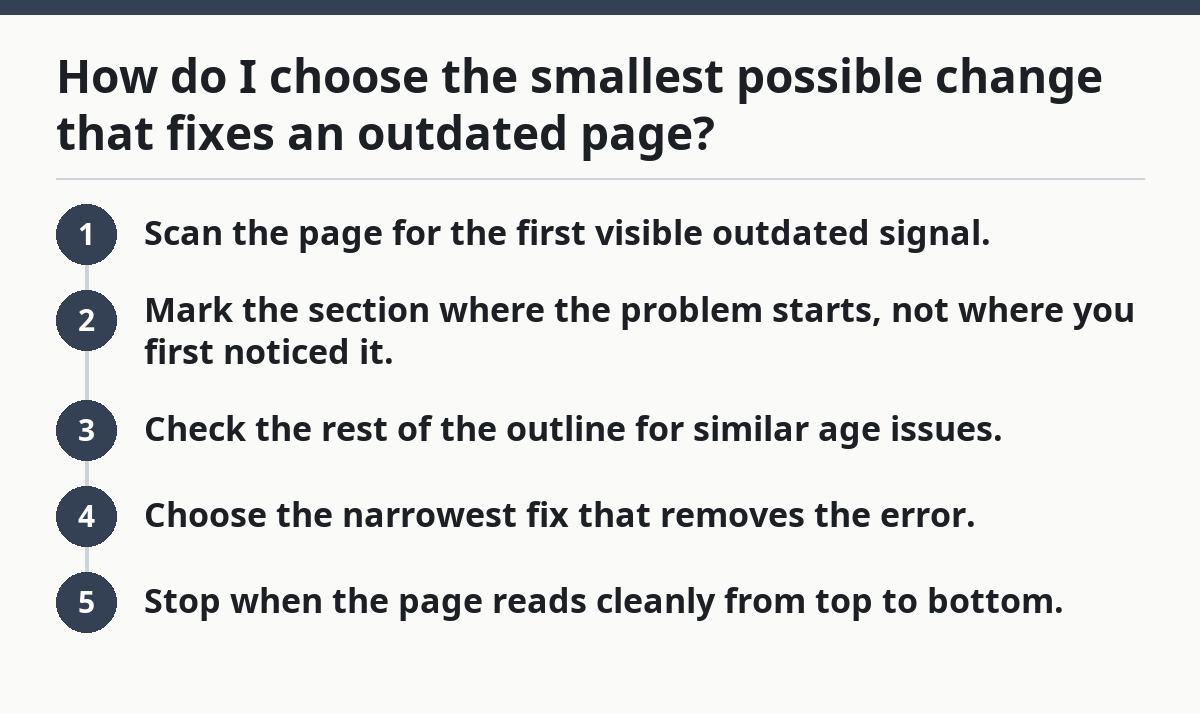
How do I choose the smallest possible change that fixes an outdated page?
You choose it by tracing the problem to the narrowest page part that causes the mismatch. Start with the outdated page, then identify the one content section or line that makes the whole thing feel old.
Picture this: you have a page that ranks, but the screenshot shows a 2021 interface, the pricing paragraph is stale, or one example references a tool that no longer exists. Your job is to find the smallest edit that makes the reader stop tripping over the old detail.
Use this refresh checklist before you touch the draft:
- Scan the page for the first visible outdated signal.
- Mark the section where the problem starts, not where you first noticed it.
- Check the rest of the outline for similar age issues.
- Choose the narrowest fix that removes the error.
- Stop when the page reads cleanly from top to bottom.
A good small change usually falls into one of four buckets:
- Targeted edit: one sentence, one statistic, one date, one term.
- Section replacement: one stale block swapped for a fresh block.
- Example swap: the lesson stays the same, but the example changes.
- Statements update: claims, labels, and descriptions get corrected without touching the structure.
This method keeps you from “fixing” the whole page when one paragraph was the only problem. That saves editorial time and avoids accidental damage to a page that was already working.
Start with the first broken claim, not the whole article
The smallest fix usually starts with the first claim a reader would doubt, because that is the point where the page loses trust. If the opening paragraph says one thing and the body says another, you may only need a sentence-level correction.
Picture this: you open an article and see a promise, a feature name, or a product description that no longer matches the current product. The instinct is to rewrite the whole section. Resist that. First, ask whether the claim can be corrected in place.
Use this order:
- Open the page and read the first 2-3 screens.
- Underline any claim that is date-bound, version-bound, or tool-specific.
- Compare that claim with the current source, screenshot, or product state.
- Edit only the false clause if the rest of the sentence still works.
- Leave adjacent text alone unless it now sounds awkward.
Examples of small fixes:
- Replace “last year” with a current year if the rest of the sentence still fits.
- Swap an old interface label for the current one.
- Change one example tool while keeping the teaching point.
- Update one support step without touching the surrounding advice.
On the flip side, if the first paragraph contains two or three separate outdated claims, the smallest fix may become a paragraph rewrite. That is still a small change if it stays inside one block.
When is a section replacement better than a sentence edit?
A section replacement is better when the old material is clustered in one block and sentence-by-sentence edits would leave the section clunky. If you need to touch 3 or more lines in the same section, replacing the section is often cleaner.
Picture this: the page has an existing outline that still makes sense, but one section is packed with stale examples, broken steps, and dated references. You could patch each line. Or you could replace that section with a fresher version that keeps the same job.
Use this rule of thumb:
- One wrong fact: edit the sentence.
- Two connected errors: edit the paragraph.
- Three or more linked errors: replace the section.
A section replacement works best when:
- the section’s purpose is still right,
- the heading still fits,
- the reader would be confused by a patchwork of old and new lines,
- and the rest of the page does not need a new angle.
Rewriting one section can be less invasive than five tiny edits spread across the same block. It also lowers the chance that you miss a related claim hidden a sentence later.
One hard limit: if the section only looks old because one example is dated, don’t replace the whole thing. Swap the example and keep the section. That is the smallest real fix.
Example swap or statement update: which one saves more work?
An example swap saves more work when the teaching point is fine and only the illustration is stale. A statement update is better when the wording itself is the problem, even if the example stays.
Picture this: the page teaches the right process, but the sample product, screenshot, or case label is old. The lesson does not need a rebuild. It needs a current example that says the same thing in a cleaner way.
Use this split:
- Example swap when the problem is proof, illustration, or reference.
- Statement update when the problem is wording, claim, or description.
- Both when the example and the claim are tied together.
A practical example swap looks like this:
- Old: “Use Tool A to export the report.”
- New: “Use the current export screen to download the report.”
The lesson stays intact. The specific reference changes. That is the right move when the page’s value comes from process, not from naming one exact interface.
A statement update is even smaller. It might mean changing “recent update” to a specific month, removing a feature that no longer exists, or softening a claim that is now too strong. Keep the same sentence structure if you can. The goal is accuracy, not style.
If you find yourself writing a new example and a new explanation to support it, you may have crossed into a larger rewrite. Stop and ask whether the page still needs the same shape.
How do I avoid rewriting more than needed?
You avoid rewriting more than needed by editing against a fixed boundary: the existing outline. If the page already has the right shape, your job is to repair the parts that broke, not redesign the page from scratch.
Picture this: you have a solid article with an outdated page problem in one corner. The temptation is to improve the intro, smooth every transition, and refresh every example while you are there. That turns a small maintenance task into a content project.
Use these guardrails:
- Keep the same H2s unless a heading itself is outdated.
- Change one issue at a time instead of batch-editing by instinct.
- Preserve working paragraphs that still answer the query.
- Avoid style rewrites unless they fix a real problem.
- Stop after the page reads correctly, not after it reads “new.”
A small change is enough when the page still matches the search intent and only one part has drifted. A full rewrite is only worth it when the page has lost its purpose, not just its freshness.
One sentence, one example, one section is often enough.
What makes a small edit enough?
A small edit is enough when the page is still structurally sound and the outdated piece is isolated. If the existing outline still serves the reader, you do not need to replace it just because one section is stale.
Picture this: the page has one dated statistic, but the rest of the advice still works. Or the tutorial has one old screenshot, but the steps still match the current interface. In both cases, a narrow fix is the smart move.
A small edit is enough if:
- the page still answers the same question,
- the search intent has not changed,
- only one section needs factual repair,
- and the fix does not force new sections above or below it.
A small edit is not enough if:
- the whole page is built around one obsolete assumption,
- the structure no longer matches the topic,
- or every section depends on the same outdated source.
That is the line. Once the problem spreads across the page, the minimum fix grows with it. But if the damage is local, keep the repair local.
Read the page as a reader would: if one clean edit removes the old signal and the rest still makes sense, you found the smallest possible change.
A simple refresh checklist for editors
A minimal viable update is easiest to spot when you run the same checklist every time. The goal is to decide fast, then edit less.
Picture this: you are under time pressure and need to know whether a page needs a sentence tweak, a section swap, or nothing at all. A repeatable checklist keeps you from over-editing out of habit.
Use this refresh checklist:
- Find the oldest claim on the page.
- Check whether it breaks trust or just looks dated.
- See whether one sentence fixes it.
- If not, test one paragraph.
- Only then replace a section.
- Leave the outline alone unless the heading is part of the problem.
- Stop once the page is accurate and readable.
This works because most outdated pages do not need a new thesis. They need one precise correction. The skill is knowing when to stop.
For more on planning a refresh without overdoing it, the AI SEO refresh planning hub covers the broader decision process. This page stays focused on the smallest useful edit.
What is the smallest update that can improve a page?
The smallest update is the narrowest edit that removes the outdated signal without changing the page’s purpose. It might be one sentence, one example, or one updated claim. If the page still answers the same query after the edit, the change was probably small enough.
How do I avoid rewriting more than needed?
Use the existing outline as a fence. Edit only the line, paragraph, or section that causes the problem, and stop when the page reads cleanly again. If you start improving the whole article while fixing one outdated detail, you’ve likely gone past the smallest useful change.
When is a small edit enough?
A small edit is enough when the outdated issue is isolated and the rest of the page still works. If one claim, example, or screenshot is stale but the page structure and intent are still right, a targeted fix is usually the right move.
Drafted with AI; not yet reviewed by a person.