
How to Decide to Update, Consolidate, or Remove SEO Content
Last updated: November 19, 2026
Quick Answer: use 3 signals — intent match, overlap, and value — to decide whether to update, consolidate, or remove outdated SEO content. Outdated SEO content can still earn traffic, but the right move is not always a refresh. Use this content disposition decision to choose between update, consolidate, or remove based on search intent, overlap, and the page’s organic traffic.
This guide shows you how to sort a content audit into actions that protect rankings, reduce duplicate content, and avoid wasting time on pages that should be retired.
Key Takeaways
- Keep pages that still match one search job, then update the facts, examples, and internal links.
- Consolidate pages when several URLs chase the same query and split organic traffic.
- Remove pages when they have no search value, no useful links, and no clear purpose.
- Use a 301 redirect for retired pages that have a better replacement; use a canonical tag only when both URLs must stay live.
- Decide from the page’s job, not from age alone. A 2019 page can still be worth keeping.
What content disposition means for SEO
Content disposition means choosing the right fate for each old page: update, consolidate, or remove.
Outdated SEO content can still be valuable, but the hard part is that one stale URL can still rank, still attract links, and still support a topic cluster in 2026.
Picture this: you have 80 pages in a content audit, and half of them mention tools, stats, or SERP features that no longer match what Google shows now. You do not need a blanket rule. You need a fast way to sort each page by value, overlap, and risk.
A page with organic traffic, clean intent, and only a few outdated details usually gets updated. A page with two near-duplicates and one weak version of the same topic usually gets consolidated. A page with no links, no visits, and no useful purpose can be removed.
The mistake is treating age as the main signal, so check the page itself first and, if the decision has YMYL implications, consult a professional. A page from 2020 can outrank a newer post if it answers the query better, and Google’s guidance on helpful content and quality signals supports evaluating pages by usefulness rather than age alone: https://developers.google.com/search/docs/fundamentals/creating-helpful-content and https://developers.google.com/search/docs/fundamentals/how-search-works. A page from last month can still be junk if it repeats another URL word for word.
Use this short list before you touch anything:
- Does the page still solve one clear search task?
- Is there another URL on your site covering the same intent?
- Does the page earn visits, links, or conversions?
- Would a user miss it if it vanished?
- Can one stronger page replace it without creating duplicate content?
The truth is, most teams do not need more content. They need fewer bad pages and a cleaner set of good ones.
How do I decide whether to update, consolidate, or remove outdated SEO content?
Decide by checking intent match, overlap, and value in that order.
If the page still matches a search need, update it. If several pages fight for the same query, consolidate them. If the page has no meaningful purpose, remove it.
Picture this: you are looking at a spreadsheet with URL, impressions, clicks, backlinks, and topic. One page has 1,200 impressions a month and stale screenshots. Another has 40 impressions and duplicates the same advice as three others. A third has no traffic and no backlinks, but it sits on a dead product line. Those are three different decisions.
Here is the catch: traffic alone does not tell you what to do. A page can have decent traffic and still need consolidation if it competes with a stronger page on the same keyword theme. A page can have almost no traffic and still deserve an update if it supports a high-value cluster or earns links from a trusted site.
Use this decision order:
- Check search intent. If the page still matches the query, keep it in play.
- Check overlap. If another URL answers the same search better, consider consolidation.
- Check value. Look at organic traffic, backlinks, conversions, and internal links. If you are unsure how to weigh this for a regulated or medical topic, consult a professional.
- Check freshness cost. If the page needs only factual edits, update it. If it needs a full rewrite plus split intent, consolidate or remove.
- Check the replacement path. If you retire it, do you have a stronger destination for a 301 redirect?
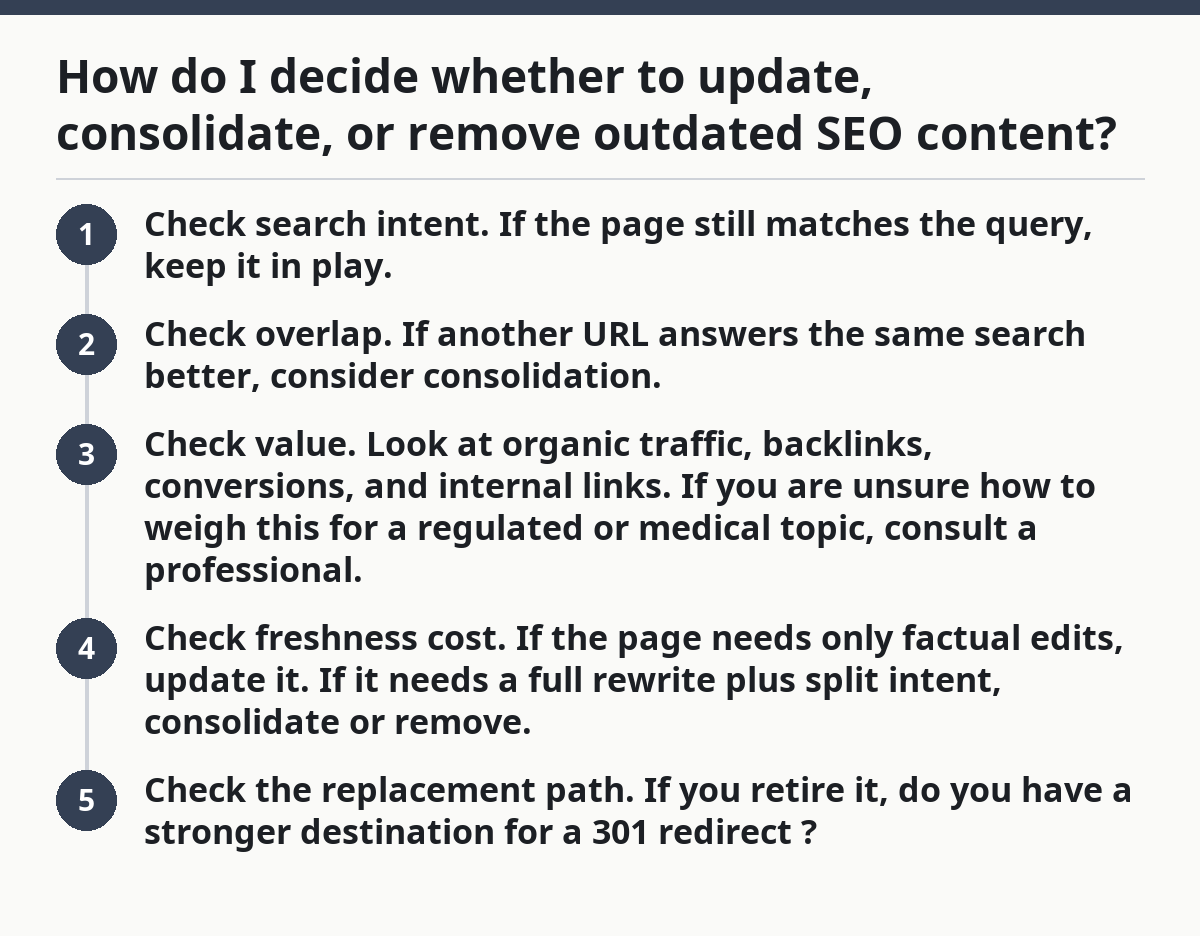
A good rule: update when the page can still win with a better version of itself. Consolidate when value is spread across too many thin pages. Remove when the page is just noise.
The 6 signals that point to update, consolidate, or remove
Use six signals to make the call: intent, overlap, traffic, links, quality, and replacement.
A page rarely fails on only one of them. The pattern matters.
Picture this: you open a batch of URLs and sort them by query. Some are obvious updates. Some are obvious deletions. The problem pages are the ones with mixed signals — a page with good links but weak content, or a page with no visits but a few useful mentions from other pages. Those need a closer read.
1) Intent match
If the page still answers the searcher’s question, it stays on the table. If it answers a different question, it does not.
2) Content overlap
If two or more URLs cover nearly the same angle, one of them is usually extra. That is where consolidation beats endless rewrites.
3) Organic traffic
If a page gets consistent search visits, treat it as an asset even if the copy feels old, but consult a professional if the topic affects money, health, or legal decisions. Search Console and Analytics help confirm whether that traffic is real and steady: https://support.google.com/webmasters/answer/7576553 and https://support.google.com/analytics/answer/10089681. If it gets nothing after a long run, that is a bad sign, not a verdict by itself.
4) Backlinks and internal links
A page with real links often deserves a better fate than deletion. Those links are signals and pathways. Kill the page carelessly and you lose both.
5) Content quality
Thin, repetitive, or outdated copy is a cost. If the page can be improved with a clear rewrite, update it. If the page is only one shard of a bigger topic, merge it.
6) Replacement quality
If you remove a page, ask what users will hit instead. A 301 redirect to a close match is usually cleaner than sending people to a random category page. Google documents redirects and preferred page handling here: https://developers.google.com/search/docs/crawling-indexing/301-redirects and https://developers.google.com/search/docs/crawling-indexing/consolidate-duplicate-urls. If the old URL must stay live for indexing reasons, a canonical tag can signal the preferred version, but that is not a fix for weak content.
This set of signals works on a spreadsheet first. You do not need a giant tool stack to make the first pass.
The actual decision tree to use in a content audit
Use a 3-step decision tree to sort each URL in about 2 minutes.
It keeps the process honest and stops the “maybe later” pile from growing.
Picture this: you are 30 rows deep in a content audit, and every page looks half salvageable. A rule-based path keeps the work moving. It also makes the later redirect planning much easier because each decision has a reason behind it.
- Label the page’s main query and search intent. If the intent is clear and the page still fits, mark it for update.
- Look for duplicates, near-duplicates, or split coverage. If another URL already owns the same idea, mark both for consolidation and choose the strongest destination.
- Check value and salvage cost. If the page has no traffic, no links, and no real business use, mark it for removal and map the redirect or retirement path.
Because of that, the edge cases matter. A page with low traffic and good links is not a deletion candidate. A page with high traffic and duplicate coverage is not an update candidate by default. You need to know which signal matters most.
Use this quick test:
- If one page can be made strong with edits under one hour, update.
- If two or more pages together make one better answer, consolidate.
- If the page has no durable value, remove.
That is the cleanest way to keep the site from ballooning into a mess of old URLs.
When consolidation beats a refresh
Consolidation wins when the problem is too many pages, not too little editing.
If two or three URLs split the same search demand, a single better page usually performs better than three weak ones.
Picture this: you have one article about SEO audits, another about content audits, and a third that explains both in slightly different language. Each page gets a few clicks, none of them owns the topic, and all of them cannibalize the same search space. A quick refresh on one page will not fix that. You need consolidation.
Choose consolidation when you see these patterns:
- Multiple URLs target the same keyword set or close variants.
- The pages share the same structure, examples, or answer.
- None of the pages is clearly dominant.
- The best parts are spread across several thin URLs.
- A single page can cover the whole intent without turning into a long, muddy mess.
Here’s the catch: consolidation is not the same as stuffing everything into one giant post. You are not building a dump truck of old copy. You are choosing the strongest base URL, moving the best material into it, and pruning the rest.
A clean consolidation plan usually includes:
- One primary URL to keep
- One source list for useful sections, examples, and links
- A 301 redirect from each retired URL to the new page
- A check for anchor text and internal links that still point to the old pages
If the pages are different enough that users would be confused by a merger, do not force it. Better to update one page and retire the others than to make a single page vague.
When removal is the right call
Removal is the right call when the page has no search value and no useful recovery path.
That means the page is not just stale — it is dead weight.
Picture this: you find a post with zero organic traffic over a long stretch, no backlinks, no internal links, and a topic that no longer fits the site. You could spend an afternoon polishing it. You would still end up with a page nobody needs. That is a removal case.
Remove pages when they are:
- Off-topic for the site now
- Empty, near-empty, or too thin to repair
- Replaced by a stronger, newer URL
- Causing duplicate content issues with no upside
- Tied to a product, service, or policy that no longer exists
If the page has a replacement, use a 301 redirect to the closest relevant URL. If the redirect target is a specific page, keep it specific; do not send it to the homepage unless that is truly the nearest match. If there is no real replacement and the page was never valuable, a clean 404 or 410 can be better than a fake destination.
There is a trade-off. Remove too aggressively and you can lose links, history, or useful long-tail traffic. Remove too slowly and the site fills with dead pages that dilute crawl attention and weaken trust.
A page is a bad removal candidate if:
- It still earns links from quality sites
- It ranks for a distinct query
- It supports a key cluster
- It brings leads, signups, or sales
If none of those are true, the page is probably ready to go.
How to plan redirects, canonicals, and page retirement
Plan the redirect or retirement path before you change the URL.
That keeps users, crawlers, and internal links from wandering into dead ends.
Picture this: you have already decided to remove three pages and merge two others. If you wait until after publishing to think about redirects, you create broken paths, lost link equity, and confusion in search results. The fix is simple: map the destination first, then change the pages.
Use this order:
- Pick the final destination page for each removed or consolidated URL.
- Check that the destination answers the same core query.
- Set up a 301 redirect for each retired page.
- Update internal links so they point to the live page.
- Only use a canonical tag when both URLs need to remain accessible and one should be treated as the preferred version.
- Test the redirect chain so one old URL does not hop through three hops before landing.
Canonicals are not a cleanup tool for bad content. They are a signal about preferred indexing when similar pages must stay live. If the page is truly gone, a redirect or retirement decision is cleaner.
This is where many teams trip. They update content but forget the old URL map. Then the site keeps sending crawlers to outdated paths for weeks or months. That slows the benefit of the work you already did.
A simple retirement checklist helps:
- Old URL listed
- New destination chosen
- Redirect in place
- Internal links updated
- XML sitemap cleaned up
- Analytics checked after launch
If the page is being removed with no replacement, document that choice. Future audits are much easier when the reason is written down.
What a clean content audit output should look like
A clean output gives each page one clear action: update, consolidate, or remove.
If the sheet says “maybe” too often, the audit is not done.
Picture this: you finish the review and have a pile of labels. Some pages need quick edits. Some need to be merged. A small group should disappear. That output is useful only if it is specific enough for the next person to act on without guessing.
At minimum, your audit file should include:
- URL
- Current status
- Decision: update, consolidate, or remove
- Target URL for consolidation or redirect
- Notes on overlap, traffic, or links
- Owner and due date
This is where the hub on content freshness and update systems — The Complete Guide fits best, because the full system starts after the disposition decision. The hub should handle monitoring and cadence; this page handles the choice. Also connect it to related pages on content audits, redirect planning, and internal linking so the next step is easy to follow.
The real win is clarity. A content team does not need 12 vague recommendations. It needs a short list of pages, a reason for each call, and a clean path for what happens next.
FAQ
Should I update or delete old content?
Update it if the page still matches a search query and can be improved without changing its purpose. Delete it if the page has no meaningful traffic, no useful links, and no clear replacement value. If you can’t explain why the page should still exist, that is a strong sign it should be retired.
Drafted with AI; not yet reviewed by a person.