
Use AI to Keep a Refreshed Page on Intent
Last updated: November 19, 2026
Quick Answer: For how to use AI to keep a refreshed page aligned with the original search intent, use a 5-step QA pass and check the title, opening, H2s, and AI-written sections before publishing. Refreshing a page can drift it off target fast, especially when AI rewrites the wrong parts. Use AI as an intent check, not a replacement author, and consult a professional if the page has business or legal risk. The steps below show how to keep an intent-preserving refresh tied to the original search intent, page angle, and query set.
What AI should protect during a refresh
AI should protect the page’s original search intent, not just its wording. If the refresh changes the angle, swaps subtopics, or starts chasing a new query, the page may read well and still fail the job. Google’s guidance on helpful, reliable content supports that approach, because pages should satisfy the searcher’s intent first. (Source: Google Search Central)
Picture this: you have a page that ranked for one clear question, and after edits it now feels broader, thinner, or aimed at a different reader. That happens when the brief gets loose and the rewrite starts following new phrases instead of the original search intent. The fix is to lock the target before you touch prose.
In short: keep the page’s original page angle, query match, and subtopic order intact, and use AI to flag drift before publishing.
A good refresh has a narrow target. The page should still answer the same user problem, in the same voice, with the same level of depth. If the original page solved “how to choose X,” the refresh should not become “what is X” or “best X tools.”
Use this as the first filter:
- Does the page still answer the same primary query?
- Does the opening still signal the same reader problem?
- Do the main sections still support the same promise?
- Did any rewritten heading pull in a new topic?
- Did AI replace a specific answer with a broader one?
Key Takeaways
- Protect the page’s original question before you edit a line.
- Treat AI as a drift detector, not the final editor, and consult a professional if the content carries legal, medical, or financial implications.
- Keep the same reader, same promise, and same answer shape.
- A refresh that changes the angle is a new page wearing old clothes.
How do I keep a refreshed page aligned with the original search intent?
You keep it aligned by comparing the old page, the search results, and the AI draft against the same intent map before you approve changes. That sounds basic, but it stops most bad refreshes.
Picture this: you open a refreshed draft and the wording is cleaner, yet the page now answers a different question in a different order. The cure is a simple control pass that checks query matching, section purpose, and the page’s core promise before anything ships, and you should consult a professional if the stakes are high. Use AI for comparison, not guesswork. According to Nielsen Norman Group, even small wording and structure changes can alter how users understand a page. (Source: Nielsen Norman Group)
- Capture the original target query and page angle. Write the exact primary query, the implied reader problem, and the promise in one line. AI can summarize this from the current page, but you should keep the final wording plain.
- Run a fresh SERP analysis. Ask AI to compare the current page against the present results page and name the dominant intent it sees. If the SERP is still informational, a refresh that turns the page into a list of tools is already off track.
- Extract the content brief from the live page. Have AI list the current title, H2s, subtopics, and supporting questions. This becomes the baseline for change control.
- Mark what cannot move. Decide which paragraph, section, or example carries the page angle. AI should not rewrite these sections without a reason tied to intent.
- Review the draft against the baseline. If the new version adds a new audience, new use case, or new comparison frame, send it back.
This control pass works even when the refresh is small. A 200-word edit can still change the page’s job.
Build an AI prompt that keeps the page on the same job
A tight prompt keeps AI from drifting into side topics. The prompt should name the search intent, the page angle, the target reader, and the parts that must not change.
Picture this: you paste the old copy into AI and ask for a “better version.” You get smoother prose, but the draft adds new subtopics, flattens the opening, and loses the original purpose. That usually means the prompt told AI to improve style, not preserve topic continuity. The fix is to define the guardrails in the prompt itself.
A useful prompt needs four parts:
- The original query and search intent
- The page angle in one sentence
- The required subtopics
- The forbidden changes
A practical prompt might sound like this:
- Keep the page aimed at the same informational query.
- Preserve the original angle: one page, one reader problem, one main outcome.
- Do not add new subtopics unless they already support the current brief.
- Keep the H2 structure unless a heading is off-intent.
- Flag any sentence that changes the audience, promise, or task.
Then add one line for the model’s job:
- “Review this draft for intent drift and rewrite only the parts that threaten the original search intent.”
That is better than asking for “SEO improvement.” SEO can pull a page in the wrong direction if the prompt does not name the target. AI will happily widen the article, add generic context, and blur the edge between the main query and nearby topics.
What the prompt should include
- Original query
- Search intent
- Page angle
- Audience level
- Required subtopics
- Off-limits topics
- Tone and depth
- Any fixed definitions or terms
What the prompt should not include
- “Make it more comprehensive” without a scope
- “Improve ranking” without a target query
- “Add related topics” without a brief
- “Rewrite for clarity” without guardrails
Which parts of a refresh need the strictest AI checks?

The opening, headings, and transitions need the strictest checks because they steer the reader’s expectations. If those three drift, the whole refresh can land on the wrong problem.
Picture this: the body still has useful facts, but the title, intro, and first two H2s now imply a broader or narrower job than the original page. That mismatch is expensive. Readers bounce, and search engines get a mixed signal. The fix is to inspect the highest-leverage page elements first, using revision guardrails.
The strictest review points are:
- Title and H1: These set the topic frame. If they shift, the refresh may target a new query.
- First paragraph: This should restate the reader’s problem in plain language.
- First two H2s: These usually define the page angle and the path the rest of the article follows.
- Examples and labels: A new example can pull the page into a different use case.
- Calls to action: A CTA that pushes another service or format can change intent.
You can ask AI to mark each of these with one of three labels: keep, revise, or remove. That keeps the review fast and honest.
A useful rule: if a sentence helps the page sound smarter but does not help it answer the original query, cut it.
How can AI check query matching without changing the page angle?
AI can check query matching by comparing the draft against the original query, then listing where the wording or section flow no longer matches the expected intent. It should not rewrite the angle to fit the new text.
Picture this: you are refreshing a page that still needs to answer one exact problem, but the draft now includes three side questions and a broader definition. AI can spot that mismatch if you give it the query, the target reader, and the current heading map. Then it can tell you which sentences pull the page away from the brief.
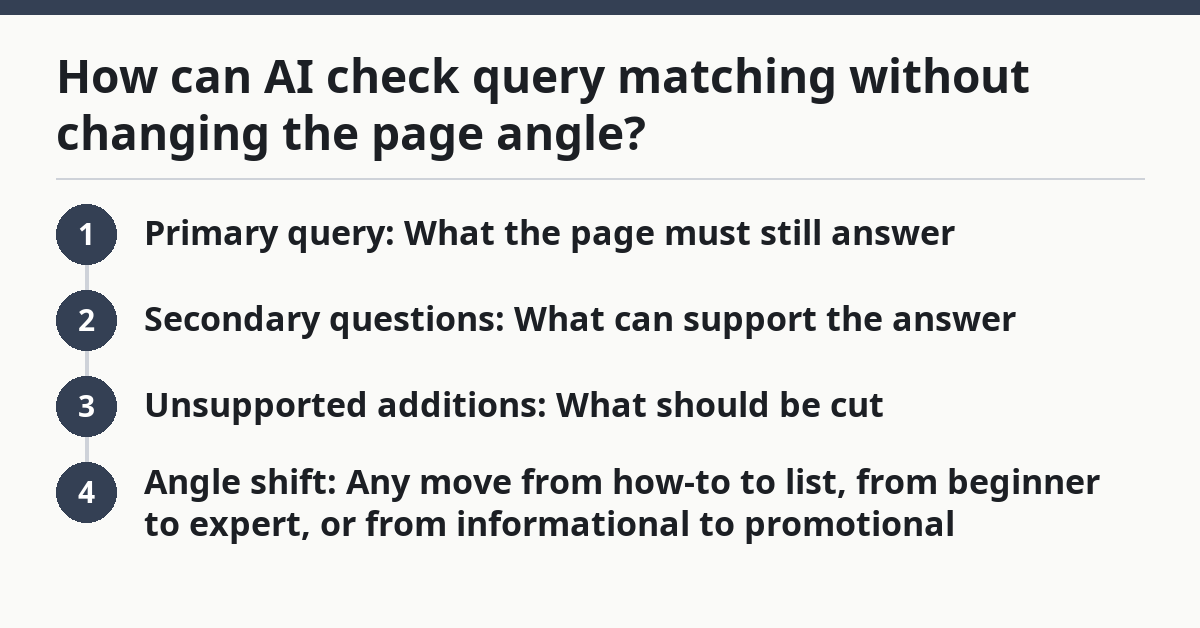
Use AI to compare these layers:
- Primary query: What the page must still answer
- Secondary questions: What can support the answer
- Unsupported additions: What should be cut
- Angle shift: Any move from how-to to list, from beginner to expert, or from informational to promotional
This is where a content brief matters. If the brief says the page is about intent-preserving refresh, the refresh should stay inside that lane. AI can check whether the body still follows the original subtopics and whether the flow matches the user’s likely path.
A simple test helps:
- Read the intro.
- Read the first H2.
- Read the final paragraph of the first section.
- Ask: would the same searcher still feel understood?
If the answer is no, the refresh has drifted. Not by a little. By enough to matter.
Common AI mistakes that change intent
AI often over-expands, over-generalizes, or smooths out details that actually carry the page angle. Those mistakes can make a draft sound polished while stripping out the reason the page existed.
Picture this: the old page had sharp, narrow answers, and the AI draft replaces them with broad advice and generic phrases. The page looks cleaner, but it no longer serves the same searcher. That costs relevance, and sometimes the whole refresh has to be redone.
The most common mistakes are:
- Adding adjacent topics. The draft starts covering related questions that belong on another page.
- Flattening the angle. Specific guidance gets turned into broad advice.
- Replacing concrete terms with vague ones. The page becomes softer but less useful.
- Reordering the logic. A page that should move from diagnosis to action now jumps around.
- Writing for a new audience. A beginner page becomes expert-heavy, or the other way around.
Here’s the catch: AI is good at making text sound complete. That is not the same as making it stay on purpose.
What to do instead
- Keep the original brief open beside the draft.
- Flag any new section that does not serve the main query.
- Keep one sentence that states the page’s promise.
- Remove any passage that sounds helpful but changes the reader’s job.
- Re-run SERP analysis if the draft starts to resemble a different query pattern.
A 5-step QA pass before you publish
A five-step QA pass catches most intent drift before the page goes live. It is faster than another rewrite and cheaper than fixing a confused page later.
Picture this: the draft is almost done, and you want one clean pass before publishing. This is the moment for topic continuity checks, not more rewriting. Keep the review mechanical, not creative. A short checklist works better than a loose read-through.
- Compare the headline to the target query. The title and H1 should still point to the same reader problem, not a broader or newer one.
- Check the opening paragraph. It should state the page’s job in direct language and keep the same intent as the original version.
- Scan every H2. Each heading should support the page angle, not introduce a fresh topic cluster.
- Review AI-added text. Any paragraph created by AI should prove it belongs to the original brief, not just the same general subject.
- Match the draft to the SERP. If the live results still reward the same kind of answer, the refresh should stay in that lane.
The best time to catch drift is before the final export, although every review is still worth doing before publication. The second-best time is now. Google’s Search Essentials also emphasizes clear, helpful content and user-first pages. (Source: Google Search Central)
A good QA pass also looks for missing pieces. If the old page had one section that clearly solved the main problem, don’t let AI bury it under new material. If the page angle is meant to stay narrow, narrow is a strength.
How do I know the refresh stayed aligned after editing?
You know it stayed aligned when the refreshed page still answers the original question with the same reader promise, the same section logic, and no new job sneaking in. If those three still match, the page is probably still on target.
Picture this: the refresh is live, but you want one last sanity check before you move on. This is where a short post-edit review protects the page from accidental drift. Use the same baseline you built earlier, then ask whether the draft still fits the original content brief and the current search results.
Check these signs:
- The opening still names the same problem
- The headings still follow the same sequence
- The examples still support the same use case
- The page does not answer a different query by accident
- The revised copy still fits the original depth
If a section feels “better” but no longer belongs, that section is the problem. Better prose is not a win if it changes the page’s purpose.
This is also the right moment to link the page back into the larger workflow. The hub on AI-assisted content refresh workflows can sit above this page in the site structure, while this article stays focused on one job: keeping refreshed pages aligned with the original search intent.
What changed, and what stayed the same?
- Changed wording
- Same query
- Same intent
- Same angle
- Same reader
That is the standard. If the page passes that test, the refresh is doing its job.
How do I avoid changing intent when refreshing content?
Keep the original query, angle, and section order in front of you while AI edits. If a rewrite adds a new audience, a new promise, or a new topic cluster, stop and trim it back. The safest refresh is the one that improves clarity without changing what the page is for.
How can AI help preserve page angle?
AI can compare the draft against the original brief and point out where the angle shifts. It helps most when you ask it to flag drift, not to broaden the article. A prompt that names the reader, the query, and the off-limits topics gives the model a fence to stay inside.
What should I check after a refresh?
Check the title, opening paragraph, H2s, and any AI-written sections against the original search intent. Then read the page as if you found it in search results for the first time. If the answer, audience, and promise still line up, the refresh likely stayed on target.
Drafted with AI; not yet reviewed by a person.